
Urbanna: Style Made Simple
Overview
The Urbanna Shopping App is designed to streamline the process of finding and purchasing fashion items for individuals and families across Mexico. It serves as a digital storefront for a wide range of apparel and accessories, including shoes, casual wear, sportswear, and more. The app aims to solve common shopping challenges such as limited product visibility, complicated checkout processes, and lack of convenient pickup options.
Target users include consumers seeking a centralized platform for urban fashion, families managing multiple wardrobe needs, and shoppers who value flexibility in payment and delivery methods. The app supports both online browsing and in-store engagement, making it suitable for users who prefer digital convenience and those who enjoy combining online planning with physical store visits.
Urbanna, the developer, positions the app as a one-stop solution for modern shoppers. Real-world usage scenarios include browsing new arrivals before visiting a store, redeeming digital promotions, using Click & Collect to avoid delivery delays, and managing a shared digital card for family purchases. The app integrates with local payment infrastructure like CrediVale and OXXO, which enhances accessibility for users who prefer cash-based transactions.
Key Features & Capabilities
- Browse by Category: Navigate through curated sections such as shoes, accessories, casual wear, and sportswear to find items tailored to personal or family needs.
- Real-Time Stock Check: View availability of products across Urbanna’s network, helping users avoid visiting stores with out-of-stock items.
- Multiple Payment Options: Securely pay via CrediVale, credit or debit cards (Visa, MasterCard, American Express), or cash at OXXO locations for maximum flexibility.
- Order Tracking & Discounts: Monitor shipment status and access exclusive promotions, including free shipping on qualifying orders.
- Digital Card Access: Store and use a digital version of your loyalty card, enabling instant redemption of benefits at participating locations.
- Monedero Azul Rewards: Earn points with every purchase, which can be redeemed for future discounts or exclusive items.
- Click & Collect Service: Reserve items online and pick them up at a nearby store, reducing wait times and avoiding delivery issues.
- Nearby Store Locator: Find the closest Urbanna store with real-time information on operating hours and available services.
These features support a seamless shopping journey from discovery to pickup. For example, a user can check stock availability for a child’s school shoes, reserve them via Click & Collect, and pay in cash at OXXO—ideal for users without digital payment access. The integration of local payment systems like CrediVale and OXXO also expands usability in regions with limited banking infrastructure.
User Interface, Workflow & Performance
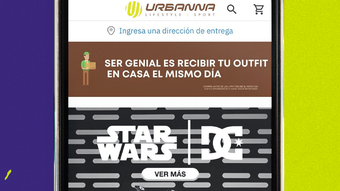
The user interface of the Urbanna app emphasizes clarity and intuitive navigation. Menus are organized by product type and function, allowing users to quickly access categories, payment methods, and account settings. The layout is consistent across Windows and Mac platforms, ensuring a familiar experience regardless of device choice.
Workflow efficiency is enhanced through streamlined processes such as one-click access to saved payment methods and direct integration with the digital card and Monedero Azul system. Users can switch between browsing, adding items to cart, and checking out with minimal steps. The app’s performance appears stable during typical usage, though detailed metrics on CPU or RAM consumption were not provided by the developer.
General performance observations suggest smooth operation under normal conditions. The app loads product images and category pages efficiently, and transitions between sections are responsive. Stability during extended use has not been reported, but no known issues were mentioned in the release notes. The developer did not specify resource usage details, so users should expect standard behavior for a desktop application of its size.
Compatibility & System Requirements
The Urbanna app is available for both Windows and Mac operating systems, making it accessible to a broad user base across personal computing platforms. The current version is 1.0.0, with an installation size of 50 MB, indicating a lightweight footprint that should not strain most modern systems.
Exact system requirements were not listed, so users should ensure their device meets general standards for running desktop applications. Compatibility information is limited to the supported platforms, and no details were provided regarding minimum processor speed, RAM, or storage space. The developer did not specify whether older OS versions are supported.
For users considering installation, it is recommended to verify that their system meets basic desktop application requirements. The app’s small size suggests minimal impact on system resources, but performance may vary depending on device configuration and background processes.
Pros and Cons
Pros
- Intuitive interface designed for quick navigation and ease of use
- Supports multiple payment methods, including cash via OXXO
- Offers Click & Collect for convenient in-store pickup
- Includes digital card and loyalty rewards (Monedero Azul)
- Lightweight installation at just 50 MB
- Available on both Windows and Mac platforms
Cons
- Exact system requirements were not provided
- Performance under heavy usage not documented
- Limited information on update frequency or support timeline
- No details on cloud sync or cross-device access
FAQ Section
Is the Urbanna app available for both Windows and Mac?
Yes, the Urbanna app is compatible with both Windows and Mac operating systems, allowing users on either platform to access its features.
Can I use cash to pay for purchases through the app?
Yes, the app supports cash payments at OXXO stores, providing a convenient option for users who prefer or require cash-based transactions.
How does the Click & Collect service work?
After selecting items online, you can choose to pick them up at a nearby Urbanna store. The app will notify you when your order is ready for collection.
Is the app free to download and use?
Yes, the Urbanna app is available at no cost. There are no subscription fees or hidden charges for using the core features.
Does the app support offline usage?
While the app requires an internet connection for most functions, such as browsing and checkout, some features like viewing saved items may be accessible offline. Specific details on offline capabilities were not provided.
Final Thoughts + CTA
The Urbanna Shopping App delivers a practical and accessible solution for consumers seeking a modern, flexible shopping experience. With its integration of local payment methods, family-friendly features, and convenient in-store pickup options, it stands out as a well-rounded desktop tool for urban fashion shoppers. The lightweight design and cross-platform availability enhance its usability across different environments.
While detailed system requirements and performance data are not available, the app’s core functionality appears reliable and user-focused. It is particularly beneficial for families, budget-conscious shoppers, and users in areas with limited digital payment access. For those who value convenience, choice, and flexibility in their shopping habits, Urbanna offers a compelling option.
Download Urbanna now and transform your shopping experience today.







